Digital planners and personalized planners are everywhere right now.
But most people trying to get organized end up doing this:
- Download a planner, use it for two days, forget about it.
- Buy a paper planner, love it for a week, stop filling it in.
- Bounce between apps trying to find the one that finally sticks.
I get it. I’ve spent over five years designing, testing, and reviewing digital planners, productivity planners, and personal organizers for all kinds of people — working professionals, nurses, students, busy moms, and everyone in between.
So I wrote this guide to cut through the noise.
- What Are Digital Planners and Personalized Planners — and Why Does It Matter?
- What Is the Best Digital Planner Overall?
- What Is the Best Digital Planner for iPad?
- What Is the Best Digital Personal Planner?
- What Is the Most Popular Digital Calendar?
- Digital Planner and Personalized Planner Comparison Table
- Why a Personalized Planner Works Better Than a Generic One
- Digital Planner vs Paper Planner — Which One Is Actually Better?
- Who Are Digital Planners and Personalized Planners Actually For?
- How to Actually Stick With a Digital Planner
- Where to Find the Best Digital Planners and Personalized Planner Templates
- FAQs: Digital Planners and Personalized Planners
If you want to know what actually works when it comes to digital planners and personalized planners, this is the honest breakdown.
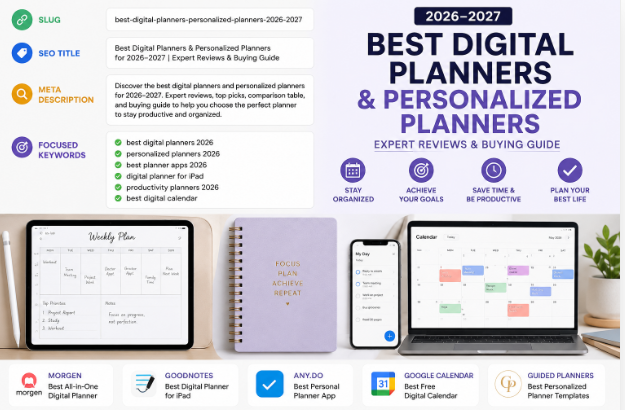
Quick picks — best digital planners 2025
- Overall Morgen — best all-in-one digital planner
- iPad GoodNotes — best digital planner for iPad
- Personal Any.do — best digital personal planner
- Calendar Google Calendar — best free digital calendar
- Guided Guided Planners — best curated planner templates & designs
What Are Digital Planners and Personalized Planners — and Why Does It Matter?
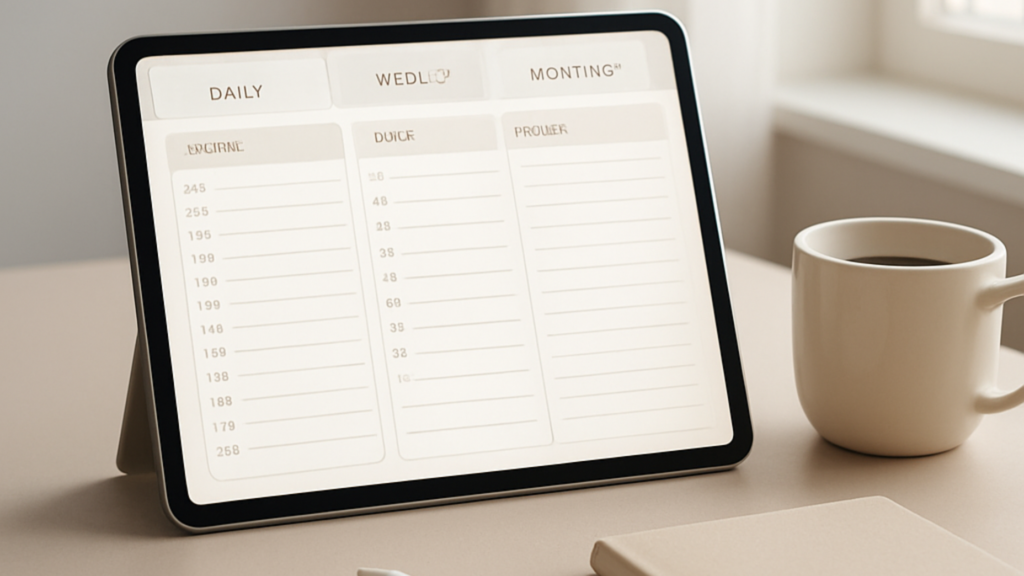
A digital planner is any planning tool you use on a screen — whether that’s an app on your phone, a PDF template you open on your iPad, or a full software platform that syncs across all your devices.
A personalized planner goes one step further. It’s a planner that fits how you actually think and work. Not a generic layout. Not one-size-fits-all. Something designed around your schedule, your goals, and your life.
Here’s why this distinction matters:
- A daily planner that doesn’t match your routine won’t get used.
- A weekly planner that’s too complex becomes overwhelming fast.
- A custom planner built around your actual life? That’s the one you open every morning.
That’s what I’ve built my work around at Guided Planners. Real planners for real people — not pretty templates that collect digital dust.
What Is the Best Digital Planner Overall?
Morgen
Best Overall Digital Planner
Morgen brings your calendar, your tasks, and your daily planning view into one place. It uses AI to help you time-block your day automatically, which means less setup and more focus.
What I like about it: you don’t have to choose between a productivity planner and a calendar app. Morgen is both. It works well for professionals who have back-to-back meetings and still need to protect time for deep work.
What it doesn’t do: it won’t give you the tactile, visual satisfaction of a curated planner design. If you want a beautiful, structured layout with guided sections — that’s where a Guided Planners template inside GoodNotes or Notability wins every time.Visit Morgen
What Is the Best Digital Planner for iPad?
GoodNotes
Best for iPad
GoodNotes is the go-to for iPad users who want to write by hand with an Apple Pencil but stay digital. You import a planner PDF or template, and then you write directly on the pages like a paper planner — except everything is searchable, backedup, and shareable.
I recommend pairing GoodNotes with a Guided Planners template. The combination of a well-designed layout plus the flexibility of a digital ink app is where most people find their sweet spot.
It’s especially popular as a goal planner, a life planner, and an academic planner — the kind of planning that benefits from being able to sketch, annotate, and personalize on the fly.Visit GoodNotes
What Is the Best Digital Personal Planner?
Any.do
Best Personal Planner App
Any.do is clean, simple, and fast. You get tasks, reminders, a daily planner view, and calendar syncing — all in one lightweight app.
If your planning style is more “get my list done and move on” than “sit down and journal,” Any.do fits that perfectly. It’s not the most feature-rich personal organizer out there, but it’s one of the easiest to actually stick with.
Where it falls short: it doesn’t give you the structure of a real productivity planner or the depth of a goal planner. For that, you still want a dedicated planner design.Visit Any.do
What Is the Most Popular Digital Calendar?
Google Calendar
Best Free Digital Calendar
Google Calendar is the default choice for most people, and for good reason. It’s free, it works across every device, and it integrates with practically everything else you’re using.
On its own, it’s a calendar — not a planner. It won’t help you set goals, reflect on your week, or build habits. For that kind of structure, you need a dedicated digital planner or a personalized planner layered on top of your calendar.
Many people use Google Calendar to schedule and a Guided Planners template to actually plan. They work better together than either does alone.Visit Google Calendar
Digital Planner and Personalized Planner Comparison Table
| Tool | Category | Best use case | Website |
|---|---|---|---|
| Morgen | Digital planner | All-in-one calendar + tasks + AI time-blocking for professionals | morgen.so |
| GoodNotes | Digital planner for iPad | Handwriting + Apple Pencil + downloadable planner templates | goodnotes.com |
| Any.do | Personal planner app | Simple daily task planning, reminders, and cross-device syncing | any.do |
| Google Calendar | Digital calendar | Free everyday scheduling that works across all your devices | calendar.google.com |
| Guided Planners | Personalized planner templates | Curated, designed planner layouts for women, professionals, nurses, moms, and more | guidedplanners.com |
Why a Personalized Planner Works Better Than a Generic One
Here’s the truth I’ve learned from five years of designing and testing these things:
Most people don’t fail at planning because they lack discipline.
They fail because their planner doesn’t actually match their life.
A generic daily planner has 8 time slots and a to-do list. That’s fine for some people. But a nurse working 12-hour rotating shifts needs something completely different. A busy mom managing school pickups and freelance deadlines needs something different again. A business owner tracking revenue goals needs an executive planner or a business planner with financial sections built in.
That’s why I built Guided Planners around personalization from the start. Every planner I design is built for a specific person in a specific situation — not for “everyone.”
What makes a custom planner actually personal?
- Layout that fits your schedule. Daily, weekly, or monthly — or all three in one view.
- Sections you actually use. Habit trackers, budget pages, meal planning, goal setting — only include what applies to you.
- A design you enjoy opening. This sounds small. It isn’t. You will not consistently use a planner that feels ugly or cluttered to you.
- The right format. Some people need a printable paper planner. Others need a fillable PDF on their iPad. Some want both.
If you’re not sure where to start, grab my free digital planner download and use it for a week. You’ll quickly find out what you’re missing — and what you actually need.
Digital Planner vs Paper Planner — Which One Is Actually Better?
People ask me this constantly. My honest answer: it depends on how your brain works.
| Factor | Digital Planner | Paper Planner |
|---|---|---|
| Accessibility | Always with you on your phone or tablet | One book, easy to leave behind |
| Searchability | Find anything instantly | Manual flipping required |
| Memory retention | Moderate — typing is fast but shallow | High — handwriting improves recall |
| Focus | Can be disrupted by notifications | Fully offline, zero distractions |
| Personalization | Easy to customize and duplicate | Limited unless you design it yourself |
| Cost over time | One-time or subscription | Ongoing purchase each year |
My personal recommendation: use a digital planner for scheduling and capturing — and a paper planner or journal for reflecting and setting weekly goals. The two formats complement each other more than they compete.
If you want to try a printable paper option alongside your digital setup, check out our free planner collection.
Who Are Digital Planners and Personalized Planners Actually For?
Short answer: anyone who wants to spend less mental energy managing their time and more energy actually living.
But here’s who I’ve seen get the most value from a well-matched planner:
Professionals and executives
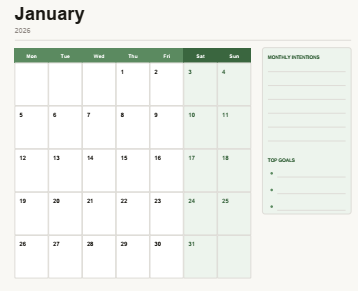
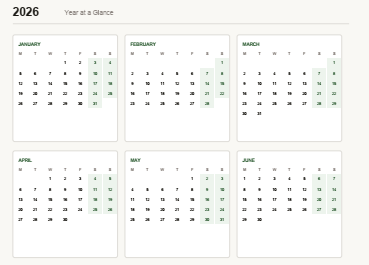
A business planner or executive planner helps you think beyond the to-do list — tracking goals, priorities, meeting outcomes, and big-picture strategy alongside your daily tasks. Our daily, weekly, and monthly planner collection covers this well.
Busy moms
Juggling family schedules, household tasks, and personal goals at the same time is genuinely hard. A family planner designed around your actual week — not a generic template — makes the difference. I designed one specifically for this: our daily/weekly planner for busy moms.
People tracking money
A productivity planner that includes a budgeting section is something most generic planners skip entirely. If you’re actively working on your finances alongside your schedule, our budgeting and expense tracking planner was built exactly for this.
Students
An academic planner needs assignment tracking, exam schedules, and semester views — not just a weekly layout. GoodNotes on iPad is especially popular here because you can write notes and plan in the same app.
Anyone starting over
Sometimes you just need to reset. A clean, guided life planner or goal planner gives you the structure to figure out what you actually want — and build a realistic plan to get there. Start with the free download if you’re not sure what format works for you.
Get Your Free Digital Planner
Designed by Guided Planners. No fluff, no filler — just a planner that actually fits your life.Download Free Planner
How to Actually Stick With a Digital Planner
The number one reason people quit their planner isn’t motivation. It’s friction.
If your planner takes more than 60 seconds to open and update, you’ll stop using it. Here’s what I tell everyone:
- Pick one planner and commit for 30 days. Switching between apps constantly resets your progress and kills your habit.
- Set a daily planning time. Morning works best for most people — even five minutes reviewing your day creates massive clarity.
- Start smaller than you think you should. One daily planner page. Three priorities. That’s it. Build from there.
- Make it visible. Pin your digital planner as a home screen shortcut or leave your paper planner open on your desk. Out of sight, out of mind.
- Review weekly, not just daily. A weekly planner review on Sunday night takes 15 minutes and saves 15 hours of scattered thinking across the week.
Personal insight: I’ve tested over 40 planner formats in the last five years. The ones people actually stick with aren’t the most feature-rich. They’re the ones that feel effortless to pick up and genuinely satisfying to fill in.
That’s the design standard I hold every Guided Planners product to.
Where to Find the Best Digital Planners and Personalized Planner Templates
Here’s where I’d send you based on what you’re looking for:
- Free digital planner to start: View more.
- Best curated digital planners by category: View here
- Free printable planners: Click for more
- All Guided Planners designs: Find More here
- Daily, weekly, and monthly planner formats: Explore here.
FAQs: Digital Planners and Personalized Planners
What is the best digital planner?
Morgen is one of the best digital planners for people who want AI-assisted scheduling and task management in one app. For curated planner templates and designs, Guided Planners is the best source.
What is the best digital planner for iPad?
GoodNotes is the top choice for iPad users. It supports Apple Pencil handwriting and works seamlessly with downloadable digital planner templates — including those from Guided Planners.
What is a personalized planner?
A personalized planner is one built around your specific goals, schedule, and lifestyle. It might include custom covers, a goal planner section, habit trackers, or layouts tailored to your job — like an executive planner or a planner designed for nurses.
Are digital planners better than paper planners?
It depends on your working style. Digital planners are better for syncing across devices, searching past entries, and accessibility. Paper planners are better for focus, memory retention, and tactile satisfaction. Many people use both — a digital planner for scheduling and a paper planner for weekly reflection.
Can I get a free digital planner?
Yes. Guided Planners offers a free digital planner download at Here. It’s a strong starting point if you’re not sure which format works best for you.
What is the difference between a daily planner, weekly planner, and monthly planner?
A daily planner breaks your day into focused time slots or task lists. A weekly planner gives you a full-week overview in one view. A monthly planner tracks bigger goals, deadlines, and events across the month. The most effective productivity planners include all three formats together.
The best digital planners and personalized planners aren’t the ones with the most features.
They’re the ones you actually open every day.
If you’ve been bouncing between apps and tools without anything sticking, it’s not a willpower problem. It’s a format problem. Find the right planner for how you actually think — and everything else gets easier.
Start with the free digital planner from Guided Planners and go from there.
About the Author — Guided Planners
Guided Planners is a planner design brand with over 5 years of experience creating, reviewing, and designing digital planners, journals, and productivity tools for women, men, professionals, educators, and nurses. Every planner is built to simplify organization and boost real-world productivity — not just look good on a shelf. Explore all designs at Guided Planners.