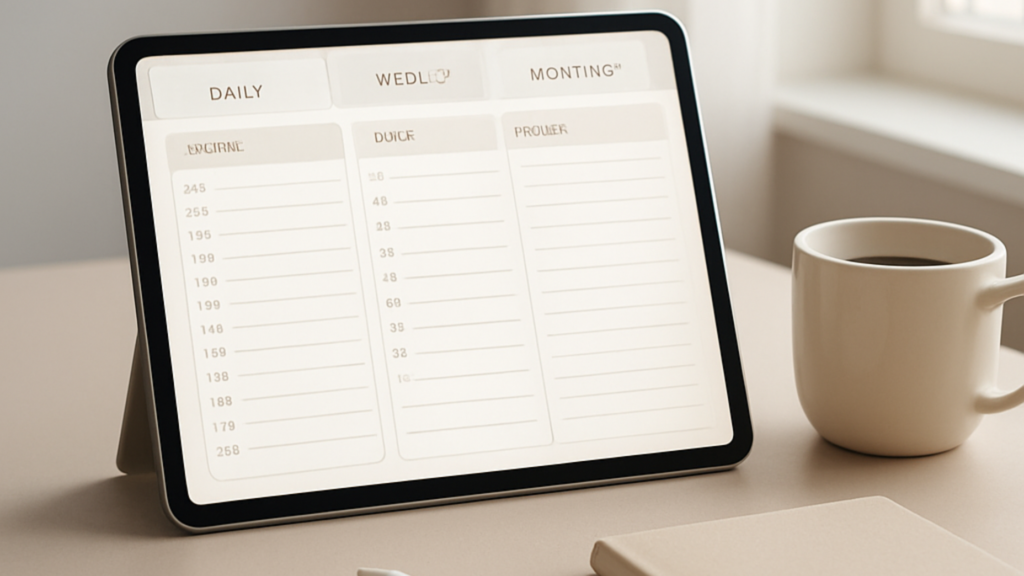
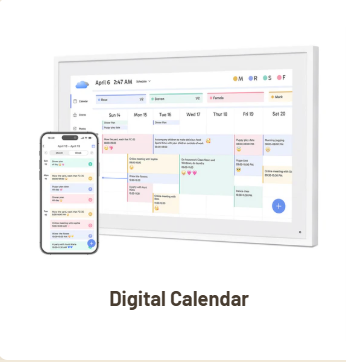
If you’ve been searching for a free 2026 digital planner that actually does the job without making your head spin, you’re in the right place.
I’ve been designing planners for over six years now — for women, men, nurses, educators, students, entrepreneurs, and everyone in between.
And the one thing I hear constantly?
“I keep downloading planners and never using them.”
Sound familiar?
That’s not a you problem. That’s a planner problem.
So let’s fix that.
- Why Most Free Digital Planners Don't Work (And What to Look For Instead)
- What Makes a Good Free Digital Planner PDF in 2026?
- Best Free 2026 Digital Planner Options (By Use Case)
- How to Actually Use Your Free 2026 Planner PDF (Without Abandoning It by February)
- Free 2026 Digital Planner PDF vs. Paid: What's the Real Difference?
- Where to Find the Best Free Digital Planner 2026
- Setting Up Your Free Digital Planner GoodNotes Style
- 2026 Planner PDF: What Should Be Inside
- FAQs About Free 2026 Digital Planners
- The Bottom Line
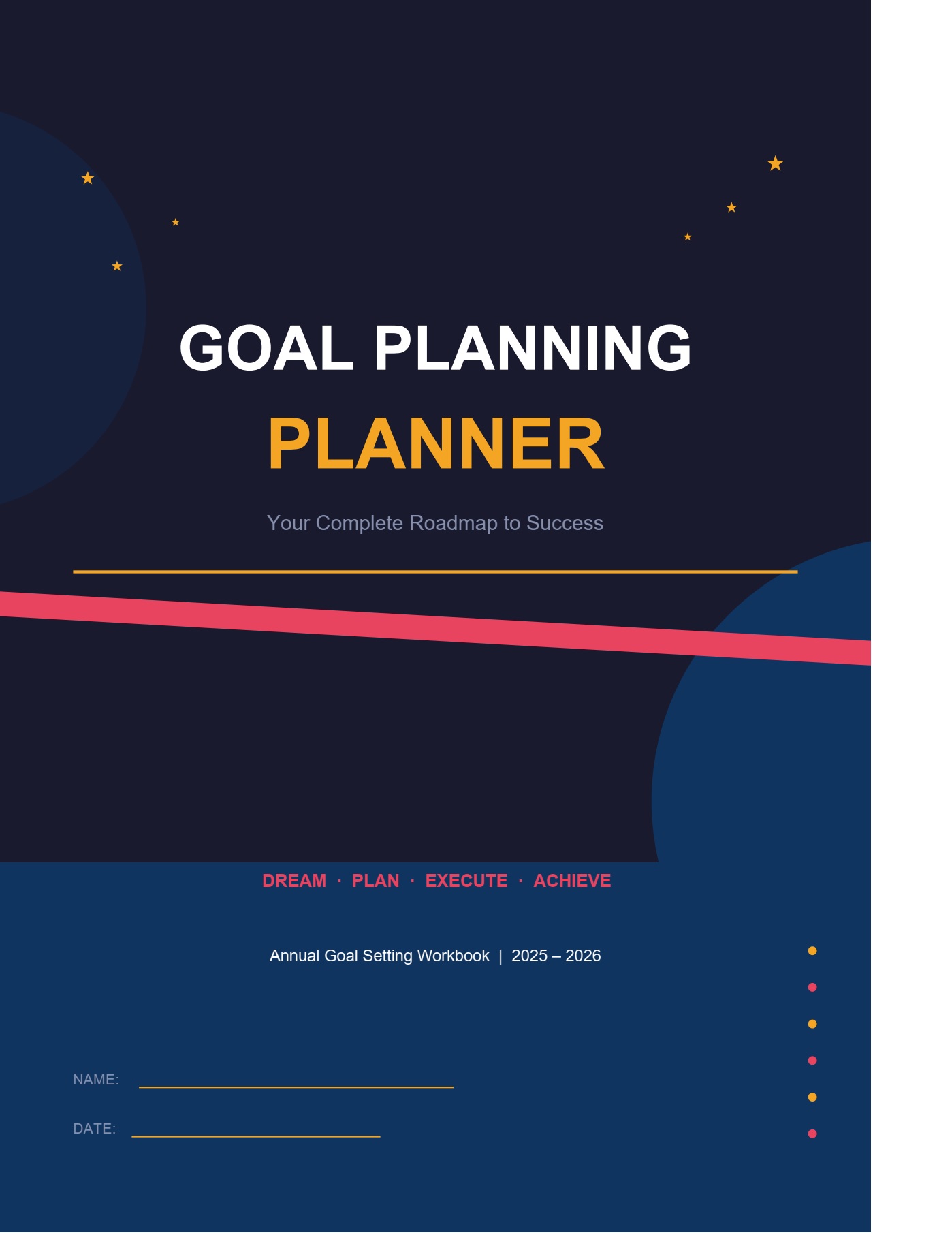
- Goal PlannerTemplate
Why Most Free Digital Planners Don’t Work (And What to Look For Instead)
Here’s the honest truth: most free digital planner PDFs are just pretty templates slapped together without any real thought about how people actually use them.
They look gorgeous in the screenshot. They feel overwhelming the second you open them.
What you actually need is a digital planner 2026 that:
- Fits your real life — not some idealized, color-coded fantasy version of it
- Works on your device — whether that’s an iPad, a tablet, or your laptop
- Doesn’t require a learning curve — you open it, you use it, done
I’ve designed and tested many guided planners over the years, and the ones people stick with always have three things: simplicity, structure, and flexibility.
What Makes a Good Free Digital Planner PDF in 2026?
Before you grab just any free 2026 planner PDF, here’s what to check for:
1. Hyperlinked tabs
A digital planner without hyperlinks is just a PDF. You want to click between months, weeks, and daily pages without scrolling forever.
2. Compatible with your app
If you use an iPad, you want a free digital planner for iPad that works smoothly in apps like GoodNotes, Notability, or even Apple Notes. A free digital planner GoodNotes layout means the pages are sized for tablet use and the stickers/elements don’t blur when you zoom in.
3. Daily, weekly, AND monthly views
You need all three. Daily for task lists. Weekly for the bigger picture. Monthly for planning ahead.
4. Enough white space
Cluttered layouts kill motivation. A good digital planner PDF gives you room to write, plan, and breathe.
5. Actually free
No hidden upsells mid-download. No “free with email signup then $49 membership.” Just free.
Best Free 2026 Digital Planner Options (By Use Case)
Not everyone needs the same planner. Here’s a breakdown by who you are and what you need:
Free Digital Planner for Students
If you’re a student, you need something that handles:
- Semester planning
- Assignment deadlines
- Exam prep schedules
- Daily study blocks
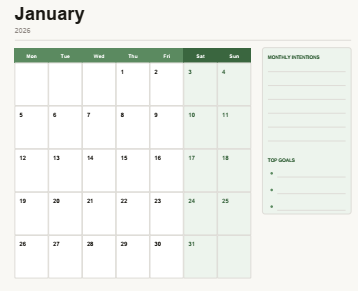
The best digital planners for students are ones that give you a monthly calendar overview AND a daily page with time blocks.
Look for planners that have a class schedule tracker and a project deadline section — those two features alone will save you from missing submissions.
Free Digital Planner for iPad
iPad users have the best setup for digital planning because you can actually write with an Apple Pencil.
What makes a digital planner for iPad work well:
- Landscape or portrait options so you pick what feels natural
- GoodNotes-ready formatting — meaning it’s set up as a PDF with bookmarks already built in
- No blurry elements — vector-based designs stay crisp when you zoom in
A free digital planner GoodNotes setup usually means the file is already sized at 8.5×11 or A4, and the links inside the PDF jump you directly to the right page.
Free Digital Planner for Professionals and Nurses
I’ve designed planners for nurses and healthcare workers specifically, and their needs are very different from a student’s.
They need:
- Shift tracking
- Weekly goal pages (not just daily task lists)
- A place to log notes from rounds or meetings
- Mental health check-in prompts (burnout is real)
If that’s you, check out the top digital planners in 2026 that are built for people with non-traditional schedules.
How to Actually Use Your Free 2026 Planner PDF (Without Abandoning It by February)
Downloading a planner is the easy part. Using it consistently? That’s where most people fall off.
Here’s what works:
Set it up before the month starts.
Spend 10 minutes at the end of each month loading in the next one. Add your fixed commitments, recurring obligations, anything you already know is coming. Then you’re not starting from scratch on January 1st in a panic.
Use one app and stick to it.
If you’re on iPad, pick GoodNotes or Notability and commit. Switching between apps is how you lose everything and give up.
Make it ugly if you need to.
I know we all love the aesthetic. But a planner covered in messy handwriting and crossed-out tasks is a planner that’s working. Don’t abandon it because it doesn’t look like the Instagram version.
Keep your daily page visible.
Open your planner every morning before you open email. That’s it. That one habit changes everything.
Free 2026 Digital Planner PDF vs. Paid: What’s the Real Difference?
This is a fair question, and I’ll give you a straight answer.
Free digital planner PDFs are great for:
- Trying out digital planning for the first time
- Students on tight budgets
- Testing out a layout before committing to something more structured
Paid planners tend to offer:
- More customization (custom covers, color themes, add-ons)
- Better design quality and print-readiness
- Dedicated customer support if something doesn’t work
- Sticker packs, companion tools, and extras
You can absolutely start with a free digital planner and see if digital planning works for your life before investing in something more robust.
Most people do exactly that.
Where to Find the Best Free Digital Planner 2026
There are a few places worth checking:
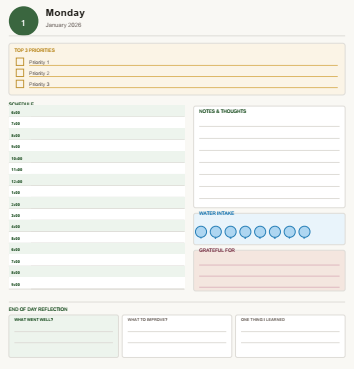
Guided Planners — This is my go-to recommendation. The designs are clean, they work well on iPad, and they’re built by someone (me) who has spent six years figuring out what actually helps people stay organized. Browse the full collection of daily, weekly, and monthly planners here.
Etsy — Tons of options, quality varies wildly. Read the reviews carefully and check that the listing mentions GoodNotes or iPad compatibility if that’s how you’ll use it.
Pinterest — Good for finding free PDF downloads, but vet the source before entering your email anywhere.
Google — Search “free digital planner PDF 2026” and filter by date so you’re getting current results, not templates from three years ago that don’t include 2026 dates.
Setting Up Your Free Digital Planner GoodNotes Style
If you’re using GoodNotes on iPad, here’s exactly how to get your free 2026 planner PDF set up:
- Download your PDF to your iPad’s Files app
- Open GoodNotes and tap the “+” to create a new document
- Select “Import” and choose your planner PDF from Files
- Tap the first page — the hyperlinks should be active immediately
- Test a tab — tap a month or section link to make sure navigation works
- Set your cover if the planner includes one (drag and drop in GoodNotes)
- Star the notebook so it shows up on your home screen
That’s it. You’re set.
If the hyperlinks aren’t working, the PDF wasn’t built with proper link annotations — that’s a sign the planner wasn’t designed well for digital use. Go find a better
one.
2026 Planner PDF: What Should Be Inside
A solid 2026 planner PDF should have at minimum:
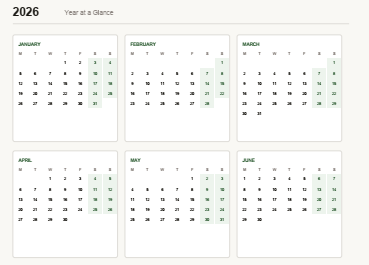
- Annual overview — all 12 months on one or two pages so you can see the year at a glance
- Monthly calendars — one page per month, dated correctly for 2026
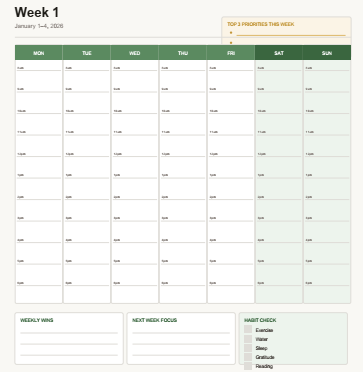
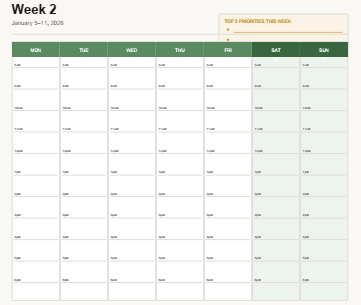
- Weekly spreads — ideally with a notes column and priority section
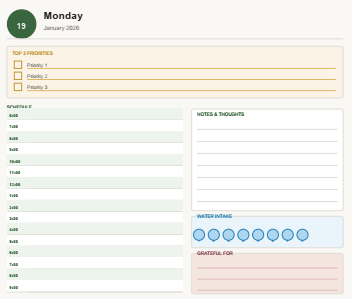
- Daily pages — with time blocks if you’re someone who schedules tightly
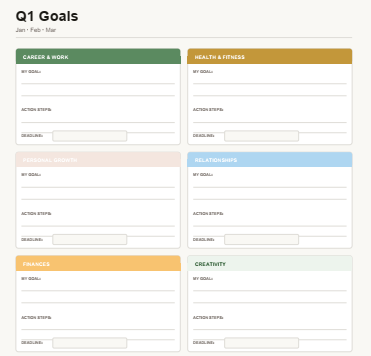
- Goal-setting pages — at the start of each quarter or month
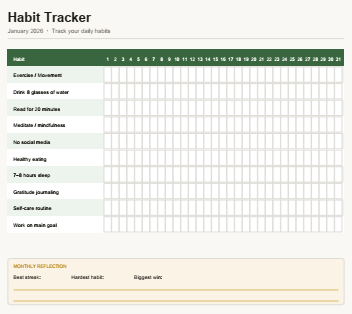
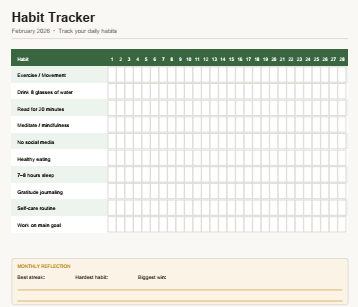
- Habit tracker — weekly or monthly, simple checkbox style
Optional but great:
- Brain dump pages
- Project planning pages
- Gratitude or reflection prompts
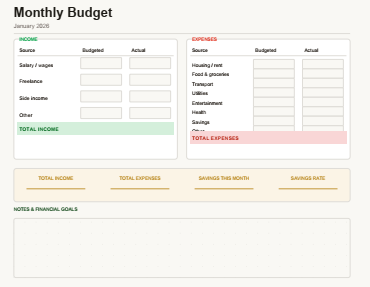
- Finance tracker
The best digital planners I’ve seen include most of these without making the file so large it slows your iPad down.
FAQs About Free 2026 Digital Planners
Q: Can I print a free digital planner PDF?
Yes, most free digital planner PDFs are printable. Just make sure you print at actual size (100%), not “fit to page,” or your layout will look off. If you want a spiral-bound version, print and take it to a local print shop.
Q: What’s the best app for using a digital planner on iPad?
GoodNotes 5 or GoodNotes 6 are the most popular choices. Notability is great too, especially if you like audio recording alongside your notes. Both work well with any properly formatted digital planner for iPad.
Q: Do free digital planners work on Android tablets?
Yes, with the right app. Xodo and LiquidText work well for PDF-based planners on Android. GoodNotes is iOS only, so Android users will need an alternative.
Q: Is there a free digital planner that’s good for students specifically?
Absolutely. Look for planners that include a semester at a glance, assignment tracker, and daily time blocks. The best digital planners for students are simple enough to set up quickly but structured enough to keep you on track during busy weeks.
Q: How do I know if a digital planner PDF has working hyperlinks?
Download it, open it in Adobe Acrobat or GoodNotes, and tap one of the navigation buttons or month tabs. If it jumps to a new page, the links work. If nothing happens, it’s just a static PDF and you’ll have to scroll manually.
Q: Can I use a free digital planner on my phone?
Technically yes, but it’s not the best experience. Planner pages are designed for larger screens. You can view and read them on your phone, but actually writing in them works much better on an iPad or tablet.
Q: What’s the difference between a free digital planner and a free printable planner?
A digital planner is designed to be used on a tablet or computer with a stylus or mouse. A printable planner is designed to be printed and filled in by hand. Some PDFs work for both, but the best ones are optimized for one or the other.
The Bottom Line
A free 2026 digital planner is one of the easiest ways to get your year under control without spending money upfront.
The key is picking one that actually works for how you live — not how the planner designer imagined you live.
Start simple. Use it daily. Adjust as you go.
And if you want a planner that was built with real people in mind — from nurses to students to busy professionals — check out the full range of daily, weekly, and monthly planners at Guided Planners.
Six years of designing and testing went into getting these right.
Because your free 2026 digital planner shouldn’t just look good on a screen — it should actually help you show up for your life.
Goal Planner
Template
Your free PDF is one step away
Get instant access — it’s 100% free
Enter your details and we’ll send it straight to your inbox.
You’re in!
Check your inbox — your free Goal Planner PDF is on its way.