If you’ve been searching for the best digital planner device and walking away more confused than when you started, I get it.
There are so many options out there. Apps, tablets, smart notebooks, hybrid devices. It’s a lot.
I’ve spent over five years creating, testing, and designing digital planners, journals, and productivity tools. I’ve used them with professionals, nurses, educators, and everyday people who just want to get organized without the chaos.
So let me cut through the noise and tell you exactly what a digital planner device is, what to look for, and which ones are actually worth your money in 2026.
- What Even Is a Digital Planner Device?
- Why I Think a Digital Planner Device Beats Paper (For Most People)
- The Main Types of Digital Planner Devices in 2026
- How to Pick the Right Digital Planner Device for You
- The Best Digital Planner Device Picks for 2026
- What About Digital Planners and Organizers as Physical Products?
- What's the Best Digital Planner to Use on Your Laptop?
- Real Talk: What I Use and Why
- FAQs About Digital Planner Devices
- Ready to Find Your Best Digital Planner?
What Even Is a Digital Planner Device?
Let’s get clear on this first because it trips people up.
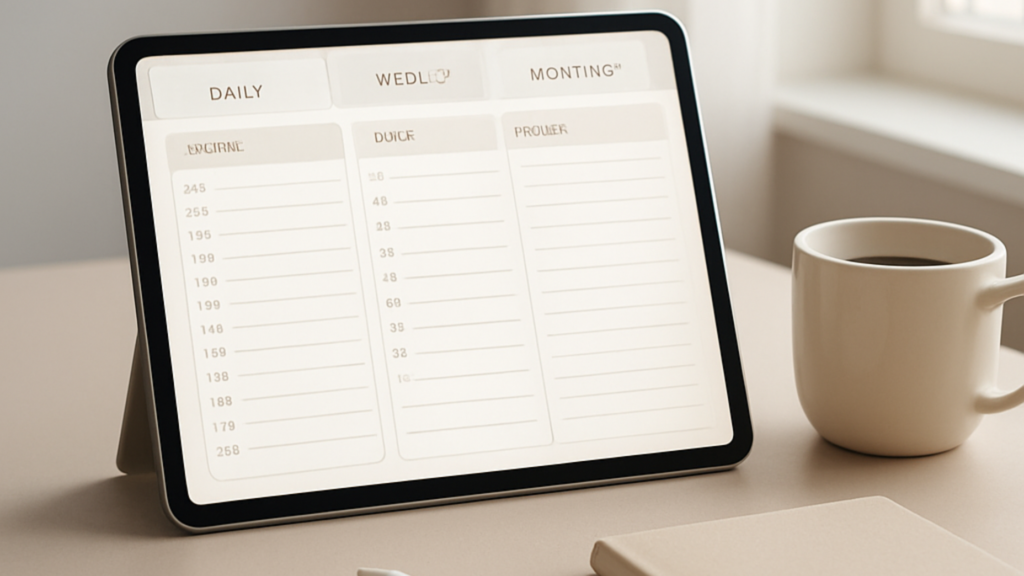
A digital planner device is any piece of hardware you use to run a digital planning system. That could be:
- An iPad with a stylus and a digital planner app
- An e-ink tablet like a reMarkable or Kindle Scribe
- A smart display or digital organizer device like the Dragon Touch calendar
- A laptop or MacBook running a planner app
- An Android tablet paired with a productivity app
It’s not just the device. It’s the device plus the system you build on top of it.
A beautiful tablet with zero structure is just an expensive social media machine. But the right digital planner device paired with the right app? That’s where the magic happens.
Why I Think a Digital Planner Device Beats Paper (For Most People)
I love a good paper planner. I’ve designed them. But let me be honest about where digital wins:
- Everything syncs. Your schedule, tasks, and notes live in one place across all your devices.
- No more starting over. Templates carry forward. You don’t rewrite your weekly layout every Sunday night.
- Search is a superpower. Need to find a note from three months ago? Done in two seconds.
- It travels with you. Your whole planning system fits in your bag.
- Customizable to your brain. Whether you’re a weekly staff schedule template person or a daily time blocker, digital adapts to you.
That said, the device you pick matters a lot. Let me walk you through the main categories.
The Main Types of Digital Planner Devices in 2026
1. iPad (Still the Gold Standard)
I’ll say it plainly: if you want the best digital planner device for most people, an iPad is it.
The reason? The stylus experience. Writing on an iPad with an Apple Pencil feels close enough to paper that the switch doesn’t feel jarring.
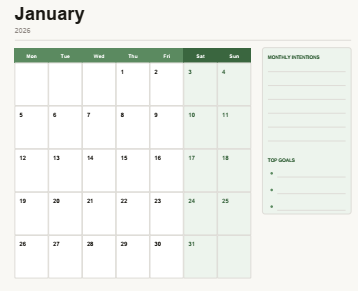
Apps like GoodNotes, Notability, and Noteshelf all run beautifully on iPad. And when you pair one of those apps with a properly designed digital planner calendar, you’ve got a full planning setup.
The best digital planners for iPad use hyperlinked tabs, pre-built templates, and daily/weekly/monthly layouts that let you jump around without scrolling for days.
Want to go deeper on iPad planners specifically? I put together a full guide on the best digital planners for iPad that covers apps, setups, and my top picks.
A quick note on the Paperlike digital planner 2026 accessory: if you’re using an iPad, the Paperlike screen protector gives your glass screen a matte, paper-like texture that makes stylus writing feel dramatically better. Worth every penny if you write a lot.
2. Android Tablets
Android tablets have come a long way. Samsung Galaxy Tab S series is genuinely impressive now.
If you’re already deep in the Android ecosystem or you just don’t want to pay Apple prices, a quality Android tablet is a solid digital organizer device.
The stylus support has improved, the apps are catching up, and for people who need a template for work schedule weekly or a basic digital planner calendar, Android tablets work well.
Just know the app ecosystem for dedicated digital planning is still stronger on iOS.
3. E-Ink Tablets (reMarkable, Kindle Scribe)
These are for a specific type of person.
If you get distracted by notifications, hate reading on backlit screens, or write long handwritten notes, an e-ink tablet is a great digital planner device.
The writing experience is the closest thing to paper you’ll find on any screen. No lag, no glare, battery lasts weeks.
The tradeoff? Limited app ecosystem, no color, and syncing requires more setup. These are not for casual planners who want a quick tap to check off tasks.
4. Smart Displays and Digital Calendar Devices
These are a newer category and honestly underrated.
Products like the Dragon Touch digital calendar sit on your desk or kitchen counter and show your schedule at a glance. No unlocking, no app switching. Just your day, visible.
I’ve reviewed the Dragon Touch calendar in detail and it’s a genuinely useful digital organizer device for households and busy professionals who want ambient visibility into their schedule.
It’s not a replacement for a full planning app, but as a companion piece? Very useful.
5. Laptops and MacBooks
Yes, your laptop counts as a digital planner device too.
If you spend most of your day at a desk, running a planner app on your MacBook or Windows laptop makes total sense. Apps like Notion, Craft, and Apple Notes (yes, really) can be set up as a full planning system.
I wrote a whole piece on the best digital planner apps for MacBook in 2026 if that’s your setup. Worth a read.
How to Pick the Right Digital Planner Device for You
Here’s how I’d think about it:
Ask yourself: How do I actually plan?
- Do you write by hand or type? Writers: iPad or e-ink. Typists: laptop or tablet.
- Are you on the go or mostly at a desk? On the go: iPad or Android tablet. Desk-based: laptop or smart display.
- Do you need color and visuals? Yes: iPad or Android. No: e-ink is fine.
- What’s your budget? iPad starts around $329. Decent Android tablets from $200. E-ink from $250. Smart displays from $100.
Think about the app, not just the device
The device is the hardware. The app is where you actually plan.
A mediocre planner app on a premium iPad will frustrate you. A well-designed digital planner calendar system on a mid-range tablet will serve you every single day.
This is why I always recommend pairing your device choice with a quality planner. The 2025-2026 digital simplified planner for iPads is one of the most popular options I’ve seen users actually stick with long-term.
Consider your workflow context
Are you a nurse who needs to track shift schedules? A teacher building a weekly staff schedule template? A professional managing project deadlines?
Different contexts need different setups. Nurses and healthcare workers often love iPads for their portability and the ability to annotate PDFs and templates quickly.
Teachers tend to gravitate toward devices that integrate with classroom management tools.
Professionals who are already laptop-heavy often stick with MacBook-based systems because they don’t want another device to charge.
The Best Digital Planner Device Picks for 2026
Best overall: iPad (10th gen or iPad Air) with Apple Pencil + GoodNotes or Noteshelf
Best for writers and note-takers: reMarkable 2 or Kindle Scribe
Best budget option: Samsung Galaxy Tab A9+ with a stylus and a free planner template
Best for desk visibility: Dragon Touch digital calendar or similar smart display
Best for laptop users: MacBook with Notion or Craft set up as your digital planner system
Best electronic planner setup on a budget: Amazon Fire HD 10 + free GoodNotes alternative + a pre-made template
Not sure which digital planner to run on your device once you pick one? The best digital planners guide covers everything I recommend for 2026.
What About Digital Planners and Organizers as Physical Products?
Quick clarification because this comes up a lot.
When people search digital planners and organizers, they sometimes mean physical organizer binders with digital-style layouts (like the Erin Condren or Clever Fox planners). These are paper planners with a clean, digital aesthetic.
Other times they mean software apps and files, like GoodNotes templates.
And sometimes they mean actual hardware, like a dedicated digital planner device or tablet.
All three are valid. Just know which one you’re shopping for before you go down a rabbit hole.
What’s the Best Digital Planner to Use on Your Laptop?
I get asked this all the time. The honest answer depends on what you need.
For pure planning and task management: Notion or TickTick.
For a visual, template-based planner: GoodNotes 6 for Mac (yes, it works on MacBook now).
For calendar-forward planning: Fantastical or Cron.
For people who want something like a digital paper planner on their laptop: Notability or a PDF-based planner opened in Preview.
I go deeper on all of these in my best digital calendars guide for 2026.
Real Talk: What I Use and Why
My main setup is an iPad Air with an Apple Pencil and a custom digital planner I designed specifically for the way I work.
I tried e-ink tablets. Love the writing feel, but I missed color-coding and the ability to quickly pull up a reference doc.
I tried going laptop-only. Got distracted by Slack every five minutes.
The iPad sits next to my laptop on my desk. My laptop is for creating. My iPad is for planning, notes, and daily review.
That split works really well for me and for a lot of the people I’ve worked with.
If you’re just getting started, honestly? Start with whatever device you already own. Set up a simple digital planner calendar template on it. See if the habit sticks. Then invest in better hardware once you know what you actually need.
FAQs About Digital Planner Devices
What is a digital planner device?
A digital planner device is any hardware you use to run a digital planning system. This includes iPads, Android tablets, e-ink tablets, smart displays, and laptops.
What is the best digital planner device for beginners?
An iPad with GoodNotes and a pre-made template is the most beginner-friendly setup. It’s intuitive, the apps are well-designed, and there are tons of free templates to start with.
Can I use my laptop as a digital planner device?
Absolutely. Many people run their entire planning system on a MacBook or Windows laptop. Apps like Notion, Craft, and GoodNotes for Mac work great.
What is the best electronic planner for work schedules?
For building a template for work schedule weekly or a weekly staff schedule template, an iPad with Noteshelf or Notion on any device works well. The key is picking a template that matches how your team or workflow is structured.
Are digital planners worth it?
Yes, if you build a system you actually use. The device is just a tool. The habit is what matters.
What’s the difference between a digital planner and a digital organizer device?
A digital planner is the app or file you use to organize your life. A digital organizer device refers to the hardware (like a smart display or tablet) that runs it. You need both to have a complete system.
Ready to Find Your Best Digital Planner?
I’ve reviewed and tested dozens of digital planners across every device type. If you want my full, honest list of the best options for 2026, head over to the best digital planners guide at Guided Planners.
You’ll find options for iPad, Android, laptop, and more. All tested, all real recommendations.
The right digital planner device paired with the right system can genuinely change how you work, plan, and show up every day. Go find yours.